Server & Network Rack Installation in Sydney
Server rack installation and communications cabinet fit-outs for businesses, with labelled patching, cable management and airflow planning. Based in Claremont Meadows in Western Sydney, we work across Penrith, Blacktown, Parramatta and the Hills District.
From $719 · NSW Master Security Licence MA 000110911 · Insured · 24-month workmanship warranty · No-obligation written quotes
What we install
Server rack installation for Sydney offices, shops and commercial premises brings switches, patch panels, NVRs and storage into an accessible cabinet. We install wall-mounted and floor-standing racks, tidy existing patching and plan equipment space, ventilation and future additions. Rack size is counted in rack units: one unit (1RU) is 44.45 mm of vertical space under the EIA-310 standard, so a 12RU wall cabinet and a 42RU floor rack hold very different equipment lists. For an active business network, we agree on access and service interruptions before work starts.
- Wall-mount and free-standing rack options
- Patch panels, cable management arms, vertical and horizontal organisers
- Airflow and ventilation planning
- PDUs and UPS integration
- Labelled cabling for fast future troubleshooting
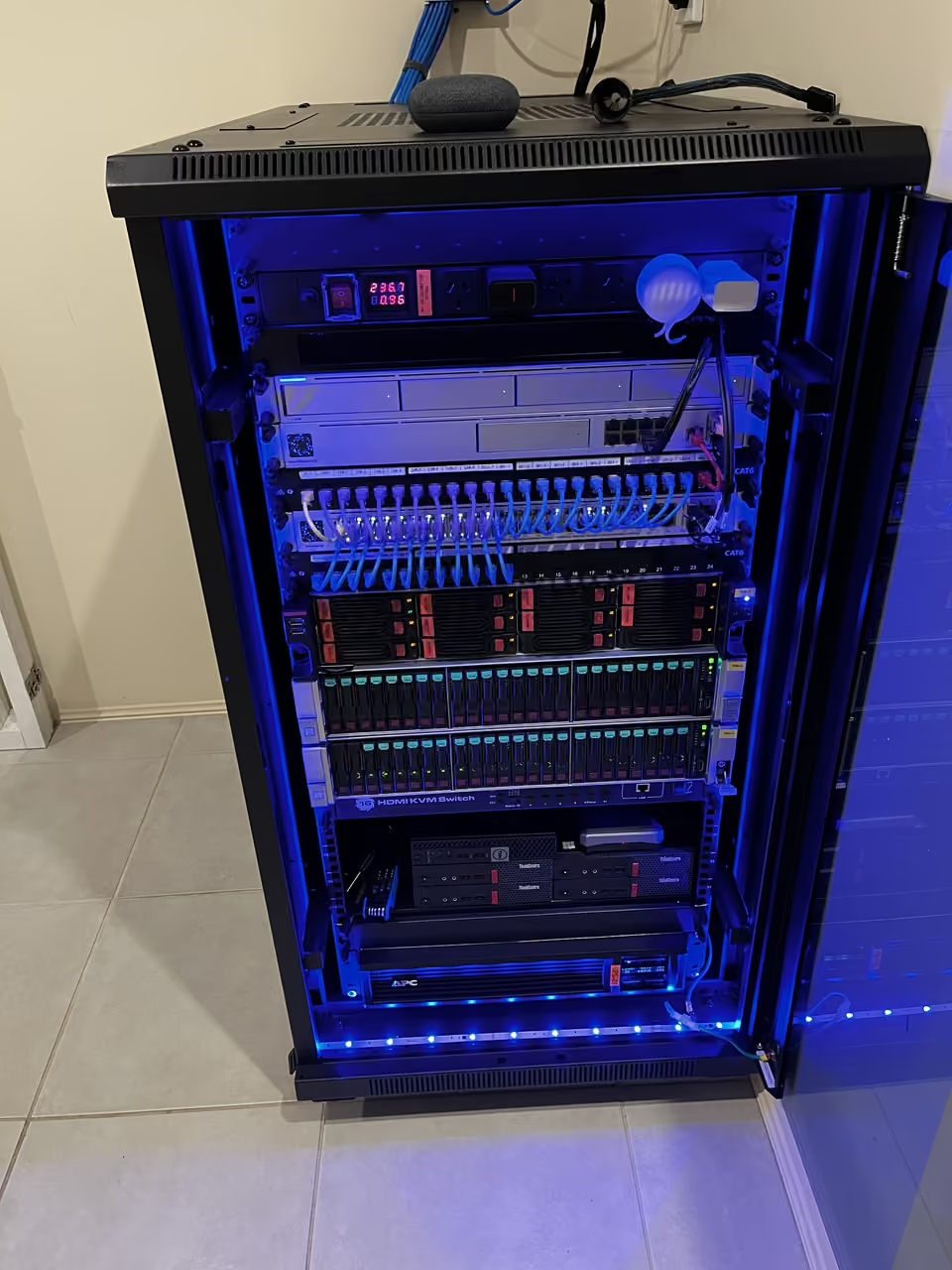
Choose a cabinet around the equipment it must hold
Send equipment models and photos of the proposed location before buying a rack: depth, mounting, cable entry and rear access all matter.
For an existing business network, a tidy-up or relocation starts with identifying connections and agreeing an interruption window. Cable reach may limit where equipment can move. Power and ventilation are planned with the patching; separate electrical work is identified in the scope.
| Option | When it helps | What we check |
|---|---|---|
| Wall-mounted rack | A compact equipment list and suitable mounting location | Load, depth, wall suitability and service access |
| Floor-standing cabinet | Larger or deeper equipment with room to service it | Floor space, equipment depth and ventilation |
| Existing rack tidy-up | Keep the cabinet and improve access or patching | Cable identification, reach and agreed downtime |
Recent work
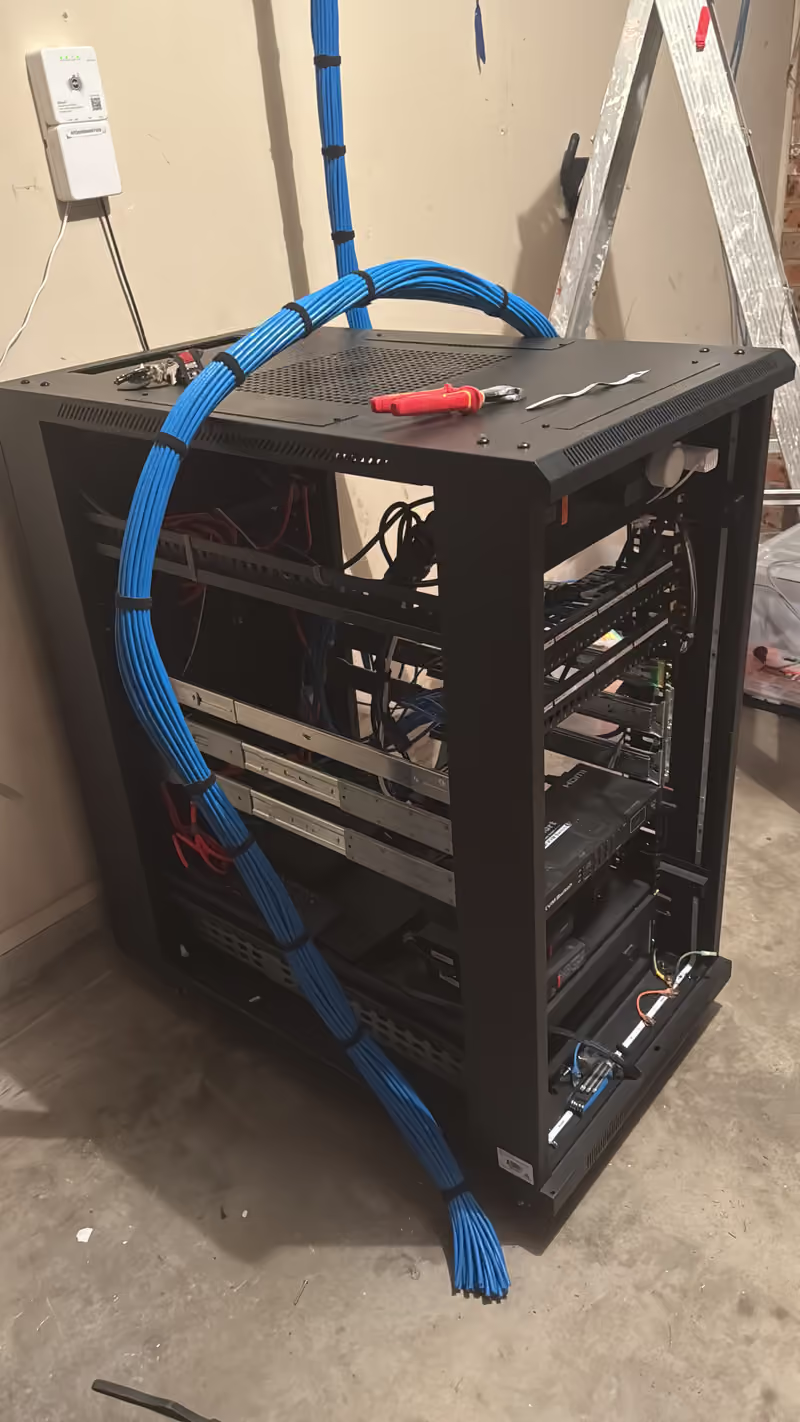
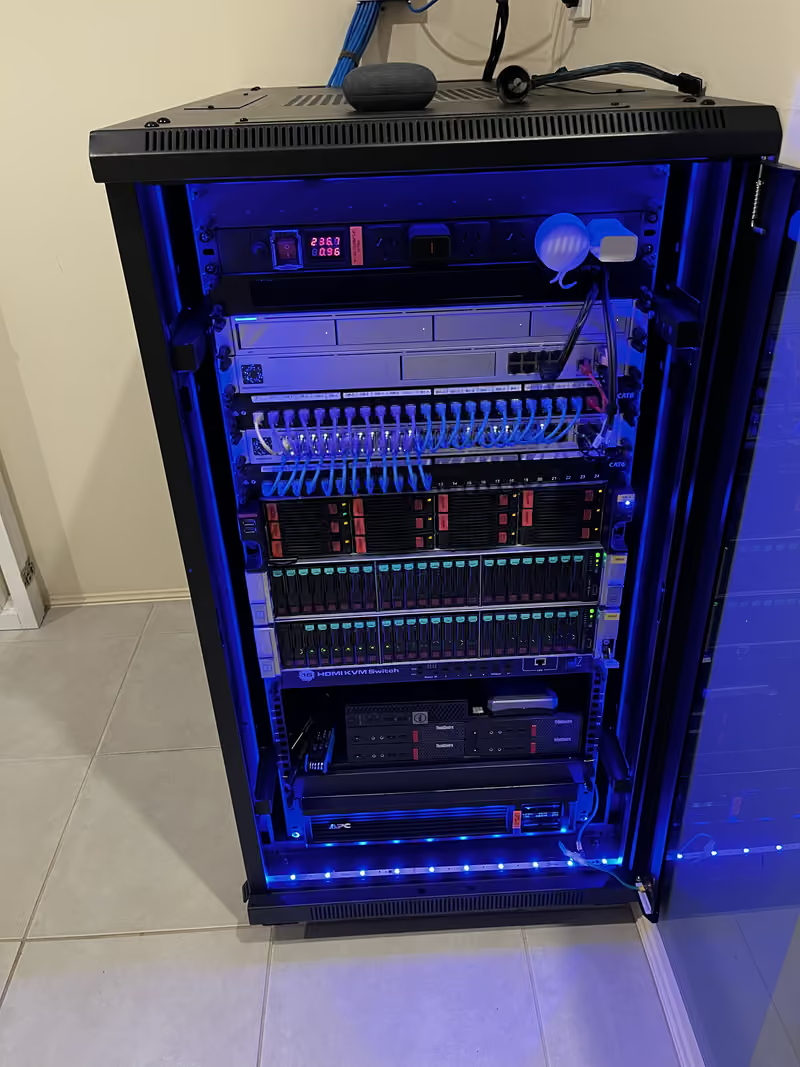
Project notes: Structured cabling and a 22RU network rack, Claremont Meadows
Network rack installation cost
From $719 for a 4RU wall cabinet with a 24-port CAT6 patch panel, supplied and installed. Your quote depends on:
- Cabinet size and depth for your equipment
- How many cables are terminated and labelled
- Wall type, mounting height and power at the cabinet
Written, itemised and no-obligation quotes. Any callout fee is confirmed before a visit is booked. Straightforward jobs can be quoted from photos or plans.
- Send rack dimensions and equipment models.
- Agree layout, patching and the interruption window.
- Reconnect, label and check the agreed equipment.
Useful for your quote
- Photos and dimensions of the proposed rack location
- Equipment models, depths and space needed for additions
- Existing patch panels, cable labels and power arrangements
- Site access and an agreed window for any network interruption
Questions about this service
Can you tidy or relocate an existing rack?
Yes. Send photos, the rack dimensions and an equipment list. We review space, cable reach, ventilation and the service interruption involved before scoping a tidy-up or relocation. A tidy-up usually means tracing and labelling each connection, replacing overlong patch leads and organising cable management. A relocation also needs a plan for re-terminating the cabling and an agreed changeover window.
How do you choose a rack size?
We start with the equipment list rather than height alone. Each device's depth, the patch panels, power distribution, UPS, airflow and planned additions all shape the choice, and a wall cabinet that suits a switch may be too shallow for a server. We usually leave spare rack units so later additions do not mean a new cabinet.
Do you supply the rack or can I buy my own?
Either. We can supply a suitable wall or floor cabinet, or install one you have bought after checking its depth, load rating and mounting. Send your equipment list with model numbers and we will confirm the size before you buy. Our equipment examples include 4Cabling wall and floor cabinets.
What about power and cooling in a small comms cupboard?
Equipment in a closed cupboard can run hot. We look at the heat load, whether the cabinet has vents or fans, and whether the cupboard or room needs airflow. Power comes from a rack PDU, ideally behind a UPS so the network and cameras ride through short outages. Any new power outlets are identified for an electrician before booking.
Discuss your installation
Send photos, your suburb and the work required.